










Smart Home Automation: A Beginner’s Complete Guide to Automating Your Home
What Is Smart Home Automation and Why Should You Care?
At its core, smart home automation is about connecting your home’s devices, sensors, and systems to the internet so they can work together — automatically or from your phone, wherever you happen to be. Think of your coffee maker starting to brew the second your alarm goes off, or your thermostat warming the house up before you even pull into the driveway. What used to be a rich person’s tech fantasy has quietly become something any homeowner or renter can actually do without breaking the bank.
But convenience is really just the starting point. A well-thought-out smart home can actually make a dent in your energy bills — smart thermostats like the Nest or Ecobee learn your schedule over time and make little adjustments throughout the day that can cut heating and cooling costs by around 15 percent a year. Smart lighting means you’re not paying to light an empty room, and smart power strips quietly kill the standby power drain that most of us don’t even think about.
Security is another big reason people get into home automation. When you weave together smart locks, a video doorbell, motion-sensing cameras, and door and window sensors, you end up with a security setup you can check on from anywhere in the world. Get a notification when someone rings the bell, pull up a live view of your porch, and let in a delivery driver without leaving your desk. That kind of real-time awareness and control is something old-school security systems just can’t offer.
Choosing the Right Smart Home Platform for Your Needs
Before you buy a single device, there’s one decision worth getting right first: your smart home platform. This choice shapes everything that comes after — which devices you can use, how they talk to each other, and how you’ll actually control them day to day. The three main players are Amazon Alexa, Google Home, and Apple HomeKit. Each has its own strengths and quirks, and picking the wrong one can mean compatibility headaches and wasted money down the line.
Amazon Alexa, built around the Echo lineup of speakers and displays, works with more third-party devices than anyone else and is generally the friendliest option for beginners. Its “skills” system lets you bolt on extra functionality well beyond the basics, and its voice recognition has had years to get good at understanding what people actually say. Google Home is a natural fit if your household already runs on Google — it connects smoothly with Calendar, Maps, and YouTube, and it handles conversational questions in a way that genuinely feels like talking to an assistant rather than issuing commands.
Apple HomeKit is the go-to if you’re deep in the Apple world — iPhones, iPads, Macs, the whole lot. It has strong privacy protections and a clean, easy-to-navigate interface through the Home app. The tradeoff is that the selection of compatible devices is smaller, since Apple’s certification process is strict. The good news for everyone is that Matter, a newer standard backed by all three platforms, is slowly tearing down the walls between ecosystems so devices can work across Alexa, Google, and HomeKit at the same time. Before you commit, take stock of what devices you already own and think about which ecosystem would cause the least disruption to how you already live.
Essential Smart Devices Every Beginner Should Start With
The range of smart home gadgets out there can feel a little overwhelming at first, but here’s the thing — you don’t have to automate everything right away. Starting with a few well-chosen devices lets you get comfortable with your platform, figure out which automations actually improve your life, and avoid the buyer’s remorse that comes from going all-in before you know what you want. Most people find the best starting point is whatever you interact with the most, since that’s where you’ll feel the impact fastest.
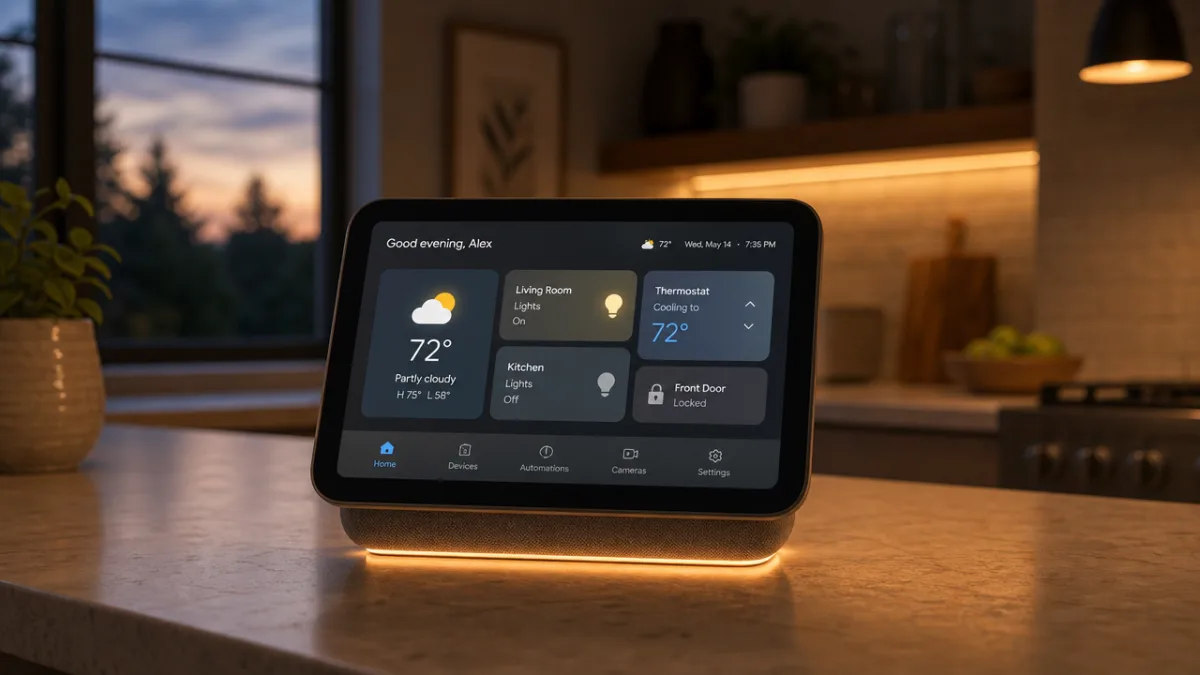
A smart speaker or display is usually the first thing beginners add, and it makes sense — it becomes the command center for everything else. You can control other devices by voice, ask questions, set timers, play music, and manage your schedule all in one place. Smart bulbs or light switches are another popular early addition because the payoff is immediate and obvious. Being able to dim your lights, shift their color temperature, or have them turn on automatically at sunset is one of those small comforts that’s genuinely hard to go back from once you’ve had it.
Beyond lights and speakers, these are the devices that tend to deliver the most value for most beginner setups:
- Smart thermostat: Automates heating and cooling schedules, learns your preferences, and can be controlled remotely to save energy when you are away.
- Video doorbell: Provides live video, motion alerts, and two-way audio so you always know who is at your door.
- Smart plugs: Instantly add automation capability to any standard appliance without replacing the device itself.
- Smart lock: Allows keyless entry, temporary access codes for guests, and automatic locking when you leave home.
- Robot vacuum: Schedules cleaning runs automatically, saving time and keeping floors consistently clean with minimal effort.
Don’t feel like you need to grab all of these at once. Even a single smart plug paired with a voice assistant can change how your home feels in a surprisingly real way. Adding devices one at a time gives you space to actually set each one up properly and fold it into your routine. A little patience early on goes a long way toward ending up with a system that genuinely works together, rather than a drawer full of gadgets that never quite got configured.
Setting Up Automations and Routines That Actually Save Time
Having smart devices is only half the story. The real magic happens when you set them up to work together on their own, without you having to think about it. An automation is basically a rule — something like “turn on the porch light when motion is detected after dark.” A routine is a chain of actions tied to one trigger, like saying “Good morning” and having your lights brighten gradually, your thermostat click up to a comfortable temperature, and the morning news start playing — all at once.
A good place to start is thinking about the small, repetitive things in your day that quietly annoy you or eat up mental energy. Always forget to turn the lights off when you leave? Set up a geofencing automation that handles it automatically once your phone moves past a certain distance from home. Have trouble winding down at night? Build a “Good Night” routine that dims the lights, locks the front door, sets the thermostat to your sleeping temperature, and starts some background sound in the bedroom. Once these routines are running, they just happen — invisible and reliable — and the time and energy they save adds up faster than you’d expect.
Time-based automations are some of the easiest to set up and among the most satisfying to live with. Scheduling your coffee maker to start at 6:45 on weekday mornings, having your outdoor lights follow the sunrise and sunset automatically, or sending your robot vacuum out every afternoon while you’re at work — these take a few minutes to configure once and then just run. Most platforms have visual builders that walk you through the process without any coding, so even if you’ve never set up anything like this before, you’ll find it pretty approachable.
Smart Home Security: Protecting Your Family and Your Data
Every smart device you add to your home is also another connection to the internet, and that means another potential entry point for someone who shouldn’t be there. That’s not a reason to avoid smart home tech — it’s just a reason to go in with your eyes open and set things up properly from the start. A few good habits, established early, can protect both your household and your personal data as your system grows.
Start with your home Wi-Fi network. Use a strong, unique password for both your router’s admin panel and your Wi-Fi itself. If your router supports WPA3 encryption, turn it on. It’s also worth setting up a separate guest network or a dedicated network just for your smart home devices. That way, if something like a smart bulb ever gets compromised, an attacker can’t use it as a stepping stone to your laptop or phone. And don’t ignore your router’s firmware updates — manufacturers put those out for a reason, usually to patch security holes.
For individual devices, always change the default passwords right out of the box, turn on two-factor authentication wherever it’s available, and keep everything updated. Stick with brands that have a solid reputation for releasing timely security updates and being clear about what data they collect and where it goes. It’s tempting to save money on off-brand smart devices, but cheap, unknown-manufacturer gadgets frequently come with weak security, little to no update support, and murky privacy practices. Paying a little more for a trusted brand is genuinely worth it when you consider what’s at stake.
Building Your Smart Home on a Budget: Tips for Getting Started Without Overspending
Here’s a myth worth busting: you don’t need to spend a lot to get started with home automation. It’s entirely possible to begin for under fifty dollars and build things out slowly as your budget allows. The trick is focusing on devices that solve actual problems in your daily life, not gadgets you buy just because they’re new and interesting. A smart plug that automates your bedside lamp will do more for you than five novelty devices you forget about after a week.
Keep an eye on sales — Black Friday, Amazon Prime Day, and seasonal clearance events regularly bring smart home prices down significantly. A lot of manufacturers also sell starter bundles that pair a hub with a couple of compatible devices for less than you’d pay buying everything separately. Refurbished devices from reputable sellers can be a great deal too, especially for things like smart speakers and thermostats that tend to last a long time. Just read the reviews carefully and make sure the item still receives software updates before you buy.
It’s also worth being honest with yourself about what actually needs to be smarter. If your current thermostat works perfectly and your energy bills aren’t a concern, that’s a lower priority than a video doorbell that addresses a real security worry you have. Add devices gradually, take the time to fully explore what each one can do before moving on to the next, and you’ll end up with a system that feels thoughtful and cohesive rather than cluttered and underused. That measured approach saves money and makes the whole experience a lot more enjoyable.
The Future of Smart Home Technology: What Beginners Should Know
Smart home technology is moving fast — what feels cutting-edge today will probably be standard in a few years. Understanding where things are headed can help you make smarter buying decisions now and avoid putting money into technologies that are on their way out. There are a few clear trends worth knowing about as you build your system.
Matter, which came up earlier in the platform discussion, is probably the biggest near-term shift in the industry. It was built collaboratively by Apple, Amazon, Google, Samsung, and hundreds of device makers to create a shared language for smart home devices — one that works across all the major platforms at once. In practice, that means the days of being stuck in one ecosystem are slowly ending. If you’re buying new devices, looking for the Matter label is a smart way to future-proof your purchases, since it gives you flexibility no matter how the platform landscape shifts.
Artificial intelligence is also becoming a much bigger part of the picture. We’re moving past simple schedules and rules toward systems that actually learn how you live and start anticipating what you need. Voice assistants are getting dramatically better at understanding natural, back-and-forth conversation rather than just responding to specific commands, thanks to large language model integration. For someone just starting out, that’s genuinely encouraging news — the technology will only get easier and more intuitive over time, which means the small learning curve you face today is an investment that pays off more and more as things improve.
And then there’s energy. As home battery storage, solar panels, and electric vehicles become more common, smart home systems are starting to factor in live energy pricing data so your home can automatically shift power-hungry tasks — running the dishwasher, charging the car — to times when grid electricity is cheapest and cleanest. The smart home of the future isn’t just convenient and secure; it’s an active participant in a more efficient energy system. Starting your automation journey now puts you in a great position to take full advantage of all of that as it continues to develop.








What do you think?
It is nice to know your opinion. Leave a comment.