










What Is a Smart Home and Why Should Beginners Start Simple?
A smart home is any living space that uses internet-connected devices to automate and simplify everyday tasks. From adjusting the thermostat without leaving your couch to having your lights turn off automatically when you fall asleep, smart home technology is designed to make life more comfortable, efficient, and even a little more fun. The good news for beginners is that you do not need to rewire your house, hire a contractor, or spend thousands of dollars to get started. The barrier to entry has never been lower.
Many people assume that building a smart home requires deep technical knowledge, a large budget, or a complete home renovation. This assumption keeps a lot of people from ever taking the first step. In reality, the most effective beginner setups are built around just a handful of affordable devices that plug in, connect to your Wi-Fi, and work immediately out of the box. The “lazy smart home” philosophy is about getting the maximum benefit with the minimum effort, and it is a perfectly valid approach that millions of people use successfully every day.
Starting simple also gives you time to learn what you actually want from your smart home before committing to expensive ecosystems or complex configurations. Technology changes fast, and a modular approach lets you add, remove, or replace devices as your needs evolve. Think of your first smart home devices as a trial run — a way to discover which automations genuinely improve your life and which ones sound great in theory but go unused after the first week. The key is to begin with high-impact, low-effort wins and build from there.
Choosing Your Smart Home Ecosystem: The Foundation of Everything
Before you buy a single device, the most important decision you will make is which smart home ecosystem you want to build around. The three dominant options for most households are Amazon Alexa, Google Home, and Apple HomeKit. Each has its strengths, its quirks, and its best use cases. Amazon Alexa has the widest device compatibility and the most affordable entry point, especially if you are comfortable with an Amazon Echo speaker acting as your central hub. Google Home integrates seamlessly with Android phones and Google services like Calendar and Maps. Apple HomeKit is the most privacy-focused option and works beautifully if you already live in the Apple ecosystem with an iPhone and iPad.
A newer standard called Matter is also worth knowing about, even as a beginner. Developed collaboratively by Amazon, Apple, Google, and Samsung, Matter is an open-source connectivity protocol that allows smart devices to work across all major platforms. An increasing number of new devices are being built with Matter support, which means your smart plug purchased today will still work even if you switch from Alexa to Google Home next year. When shopping for devices, looking for the Matter logo on packaging is a smart future-proofing strategy that takes only a second to check.
For most beginners who do not have a strong preference, Amazon Alexa is generally the easiest starting point. Echo devices are inexpensive, widely available, and compatible with an enormous range of third-party products. The Alexa app is intuitive and well-documented, and Amazon’s routine builder makes it straightforward to create basic automations without any technical knowledge. That said, the best ecosystem is always the one that fits your existing devices, habits, and phone platform. Spend ten minutes reading a comparison before committing, and you will save yourself from a frustrating migration later.

The Five Essential Starter Devices for a Lazy Smart Home
Once you have chosen your ecosystem, it is time to pick your first devices. The goal at this stage is to choose items that deliver an immediate, noticeable improvement to your daily routine without requiring complicated setup or ongoing maintenance. The following five categories represent the highest return on investment for smart home beginners, and together they can transform how your home feels and functions without overwhelming you with complexity.
Smart speakers or displays are typically the first purchase and act as the brain of your setup. A device like the Amazon Echo Dot or Google Nest Mini costs around thirty to fifty dollars, and it allows you to control other devices with your voice, set timers, play music, check the weather, and build automations. If you prefer a screen, the Echo Show or Google Nest Hub adds a visual interface that is especially useful in the kitchen or bedroom. These hub devices make every subsequent purchase more useful because they tie your devices together into a cohesive system you can manage with a single voice command or app.
Beyond the speaker, the five essential categories for a beginner lazy smart home are as follows:
- Smart plugs — Turn any standard lamp, fan, or appliance into a smart device for fifteen to twenty-five dollars. Schedule them to turn on and off automatically or control them remotely from anywhere in the world.
- Smart bulbs — Replace existing bulbs with Wi-Fi or Zigbee-enabled options from brands like Philips Hue, LIFX, or Govee. Control brightness and color temperature to match your mood or time of day.
- Smart thermostat — A Google Nest or Ecobee thermostat learns your schedule, adjusts automatically, and can reduce your heating and cooling bills by ten to twenty percent annually.
- Video doorbell — Devices like the Ring or Nest Doorbell let you see and speak to visitors from your phone, whether you are in the backyard or across the country.
- Smart door lock — A keypad or app-controlled lock from Schlage, Yale, or August eliminates the need to carry keys and lets you grant access to guests without making copies.
You do not need all five on day one. In fact, it is better to start with just one or two, learn how they work, and then expand gradually. Many experienced smart home enthusiasts recommend starting with smart plugs and a speaker because the combination is cheap, immediately satisfying, and teaches you the core concepts of scheduling and voice control that apply to every other device you will ever add.
Setting Up Your First Automation: The “Lazy” Way to Do It Right
Automations are where the true magic of a smart home lives. An automation is simply a rule that says “when this happens, do that.” When the sun sets, turn on the living room lamp. When I say good night, lock the front door and turn off all the lights. When I leave home, set the thermostat to energy-saving mode. These small automations, once set up, run silently in the background every single day, saving you time and mental energy without requiring any ongoing effort from you.
The easiest way to build your first automation is through your ecosystem’s official app. In the Alexa app, this is called a Routine. In Google Home, it is called an Automation. In Apple HomeKit, it is called an Automation as well, accessible through the Home app. All three platforms use a simple trigger-and-action format that requires no coding knowledge. You choose a trigger — a time, a voice command, a location event, or a sensor reading — and then you choose what happens in response. The interface is usually visual and menu-driven, making it accessible even for people who consider themselves completely non-technical.
A great first automation for beginners is a “Good Morning” routine tied to a specific time. Set it to trigger thirty minutes before your alarm, gradually increasing the brightness of your bedroom smart bulb to simulate a natural sunrise. Pair that with your coffee maker plugged into a smart plug turning on automatically, and you have created a genuinely luxurious morning experience with about ten minutes of one-time setup. That is the lazy smart home philosophy in action — a small upfront effort that pays dividends every single morning for years.
Once you are comfortable with time-based automations, explore location-based triggers. Most ecosystems allow you to use your phone’s GPS to trigger events when you arrive at or leave your home address. A classic example is having the thermostat return to your preferred temperature and the entryway lights turn on automatically as you pull into your driveway. This kind of automation feels almost magical the first time it works exactly as expected, and it costs nothing beyond the devices you already own.

Wi-Fi, Hubs, and Connectivity: Keeping It Simple Without Getting Lost
One of the most common frustrations new smart home enthusiasts encounter is connectivity issues — devices that drop off the network, respond slowly, or simply refuse to connect in the first place. Understanding a few basic concepts about how smart devices communicate can save you significant time and aggravation. Most beginner-friendly devices connect directly to your home Wi-Fi network on the 2.4 GHz band, which has a longer range than the 5 GHz band but lower speeds. This is actually perfect for smart home devices, which send very small packets of data and prioritize reliable range over fast throughput.
If you plan to eventually own more than a dozen or so smart devices, it is worth knowing about mesh Wi-Fi systems and wireless protocols beyond standard Wi-Fi. Zigbee and Z-Wave are two popular low-power wireless protocols used by many smart home devices, particularly smart bulbs, sensors, and locks. These protocols create a mesh network among the devices themselves, which means each device can relay signals for its neighbors, extending coverage and improving reliability. Devices using these protocols typically require a hub — a small box that connects to your router and acts as a translator between the Zigbee or Z-Wave network and your home Wi-Fi.
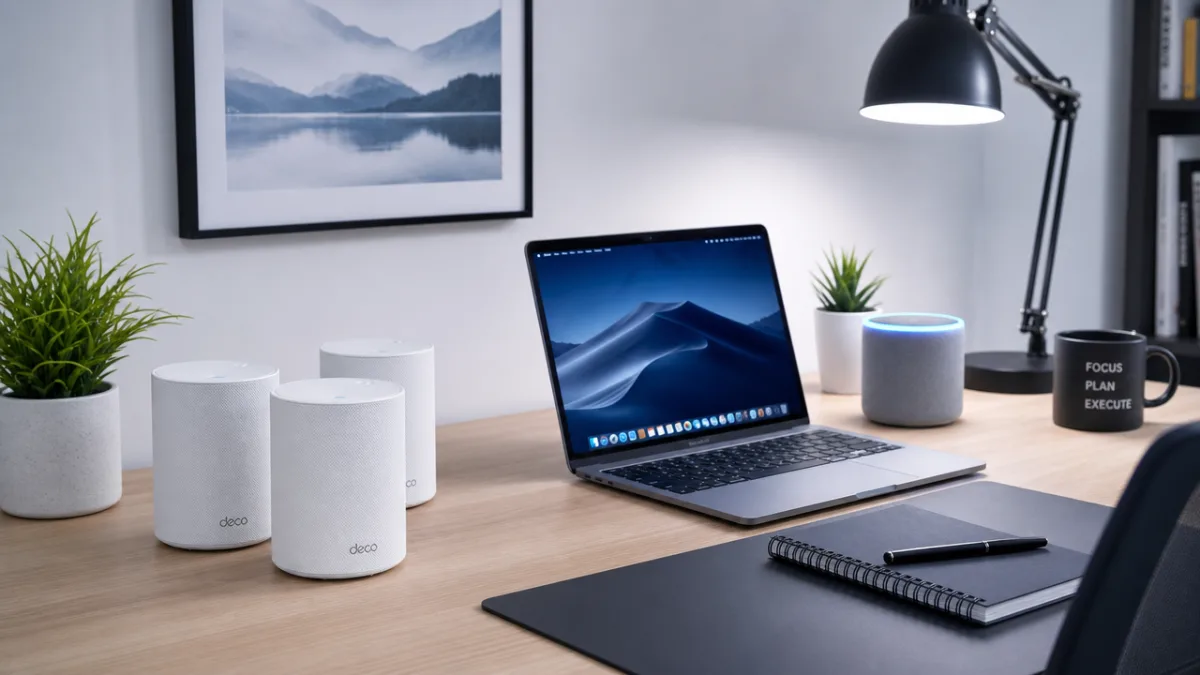
For pure beginners, sticking with Wi-Fi-based devices avoids the need for a separate hub entirely. The trade-off is that each device occupies a slot on your router’s connection table, and very inexpensive routers can struggle when managing forty or fifty connected devices simultaneously. If your home already has a modern mesh Wi-Fi system like Eero, Google Nest Wi-Fi, or Orbi, you are in excellent shape to start adding devices without any additional infrastructure. If your router is more than five years old, upgrading it before diving into smart home technology is one of the best investments you can make for long-term reliability.
Privacy, Security, and Staying Safe in a Connected Home
Privacy and security are legitimate concerns when you start filling your home with internet-connected cameras, microphones, and sensors. Every device you add to your network is a potential entry point for bad actors if not properly secured. The good news is that a few straightforward habits dramatically reduce your risk and give you peace of mind without requiring any specialized knowledge. The first and most important step is to ensure your home Wi-Fi network uses WPA3 or at minimum WPA2 encryption, which is the default on virtually all routers manufactured in the last decade. Check your router settings if you are unsure.
Strong, unique passwords are essential for every smart home account you create. Using the same password across your Amazon, Google, or Apple account and your smart home app is a common mistake that can compromise everything at once if any one service experiences a data breach. A password manager like Bitwarden, which is free and open-source, or 1Password makes it easy to generate and store unique passwords for every account without having to memorize them. Enable two-factor authentication on every account that offers it, particularly your smart home ecosystem’s primary account, as this single step blocks the vast majority of unauthorized access attempts.
For cameras and microphones specifically, it is worth taking a few minutes to review the privacy settings within each device’s app. Many smart speakers allow you to review and delete your voice history. Video doorbell apps often have settings to limit how long footage is stored and who within your household can access it. Consider placing indoor cameras only in common areas and never in bedrooms or bathrooms, not just for your own privacy but for the comfort and privacy of guests. Regularly checking for and applying firmware updates on your devices is also critical, as manufacturers frequently release patches that address newly discovered security vulnerabilities.
Finally, consider creating a separate guest Wi-Fi network specifically for your smart home devices. Most modern routers support this feature in their settings, and it adds a meaningful layer of protection by isolating your smart devices from the computers and phones where your most sensitive data lives. If a smart device were ever compromised, the attacker would find themselves on a network segment with limited access to your more valuable devices. This one configuration step takes about five minutes and is one of the most effective security improvements available to any home network user, regardless of technical experience.
Building Out Over Time: Growing Your Smart Home Without the Overwhelm
Once your first few devices are set up and your initial automations are running smoothly, you will naturally start thinking about what to add next. This is the right time to pause and evaluate what is actually making your life better versus what sounded appealing in a product review but has gone untouched. Smart home fatigue is real — the feeling of having too many apps, too many devices, and too many settings to manage. Avoiding it requires being intentional about each new purchase and asking yourself whether it solves a real problem you experience regularly or merely satisfies a novelty impulse.
Some of the most popular expansions for intermediate smart home setups include smart light switches, which replace entire circuits rather than individual bulbs and are particularly useful in rooms with multiple fixtures. Whole-home energy monitors like Sense plug into your electrical panel and give you real-time data on exactly how much electricity every appliance in your home is using, often revealing surprising insights about standby power consumption. Smart irrigation controllers like Rachio connect to local weather forecasts and automatically skip scheduled watering when rain is on the way, saving water and reducing your utility bills with no ongoing intervention required.
The lazy smart home philosophy scales beautifully as your setup grows. The core principle — maximum benefit for minimum ongoing effort — remains constant whether you have three devices or thirty. Each new automation you build should either eliminate a repetitive manual task or improve the quality of your experience in a meaningful way. If an automation requires constant adjustment, manual overrides, or troubleshooting to keep working, it is a sign that it is not the right fit for your lifestyle. The best smart home is the one you forget is there because it simply works, quietly and reliably, every single day without demanding your attention.








What do you think?
It is nice to know your opinion. Leave a comment.