










Smart Home Automation with IoT: The Ultimate DIY Guide to Open-Source Smart Homes
Introduction to Smart Home Automation and the IoT Revolution
The concept of a smart home has evolved dramatically over the past decade, transforming from a futuristic fantasy into a practical, accessible reality for everyday homeowners. At the heart of this transformation lies the Internet of Things — a sprawling network of interconnected devices that communicate, share data, and respond to commands in ways that were unimaginable just a generation ago. Today, millions of households around the world are embracing smart home technology, drawn by the promise of greater comfort, improved energy efficiency, enhanced security, and an overall elevated quality of life.
What makes the current era of smart home automation particularly exciting is the rise of open-source software platforms. Unlike proprietary systems that lock users into expensive ecosystems controlled by major corporations, open-source solutions put the power firmly in the hands of the homeowner. Platforms like Home Assistant, OpenHAB, and Domoticz allow enthusiasts and professionals alike to build deeply customized home automation systems that are tailored precisely to their needs — without paying recurring subscription fees or surrendering control of their personal data to third-party servers.
This guide is designed to walk you through everything you need to know to embark on your own smart home DIY journey. Whether you are a curious beginner who has just purchased your first smart bulb, or an experienced maker looking to integrate complex automation routines across dozens of devices, the principles covered here will give you a solid foundation. Understanding the underlying technology, selecting the right hardware, choosing appropriate software, and planning your network infrastructure are all critical steps in building a smart home that is reliable, secure, and genuinely enjoyable to live in.
What Is the Internet of Things?
The Internet of Things refers to the vast ecosystem of physical devices embedded with sensors, software, and connectivity features that allow them to collect and exchange data over the internet or local networks. In a smart home context, IoT devices include everything from smart thermostats and lighting systems to door locks, security cameras, smoke detectors, and even kitchen appliances. Each device acts as a node in a larger network, capable of reporting its status, receiving commands, and often making autonomous decisions based on programmed rules or artificial intelligence algorithms.
The power of IoT in the home lies not in any single device, but in the synergy created when multiple devices work together. Imagine waking up in the morning and having your alarm clock trigger a cascade of automated events: your thermostat raises the temperature, your coffee maker begins brewing, your lights gradually brighten to simulate sunrise, and your morning news briefing starts playing through a smart speaker. This kind of seamless, interconnected experience is what smart home automation makes possible, and open-source platforms give you the tools to design exactly the experience you want.
Why Choose Open-Source for Your Smart Home?
Open-source software brings a unique set of advantages to the smart home space that proprietary platforms simply cannot match. First and foremost is transparency: because the source code is publicly available, anyone can inspect it, identify potential security vulnerabilities, and contribute improvements. This community-driven development model means that popular open-source platforms receive constant updates, new device integrations, and feature enhancements from a global network of contributors who are genuinely passionate about the technology.
Beyond transparency, open-source smart home platforms offer unparalleled flexibility and longevity. When a commercial smart home product is discontinued — as has happened repeatedly with devices from major brands — users who depend on cloud connectivity often find their devices rendered useless overnight. Open-source systems running locally on your own hardware are immune to this problem. Your smart home continues to work regardless of what happens to any particular company or cloud service, giving you peace of mind and protecting your investment in hardware over the long term.
Essential Hardware for Your DIY Smart Home
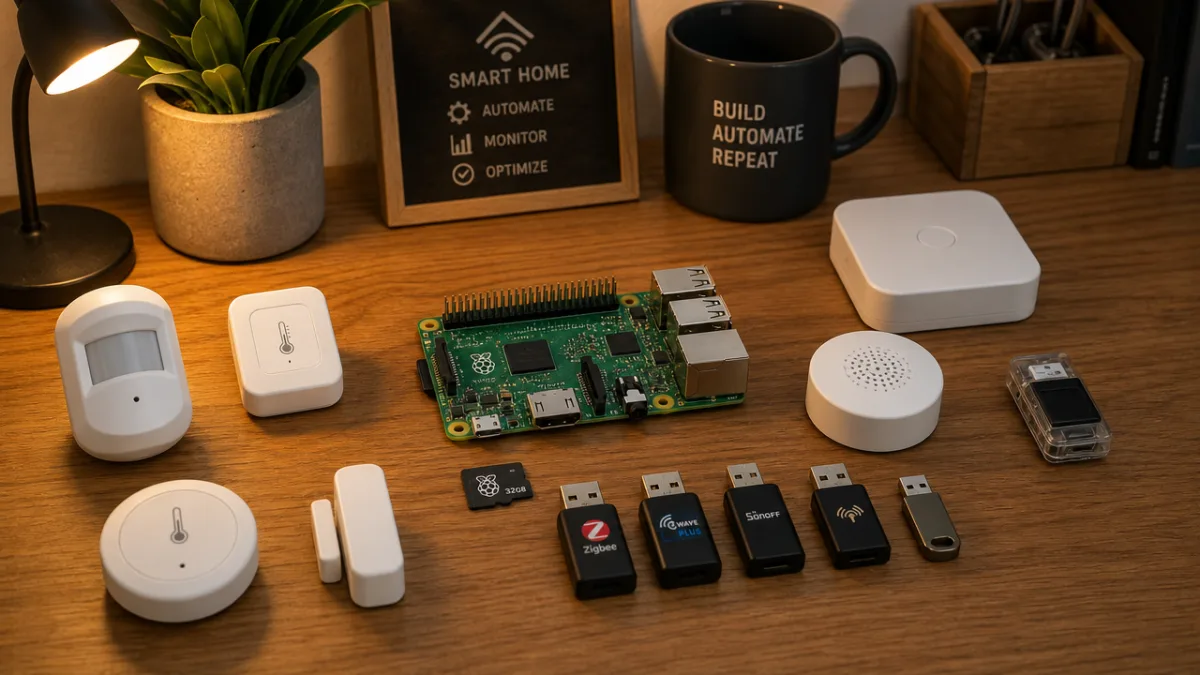
Building a smart home from scratch requires thoughtful hardware selection, and the choices you make early on will significantly influence the capabilities and limitations of your system. The foundation of any DIY smart home is a capable hub or controller — a dedicated computer that runs your automation software and coordinates communication between all of your devices. Raspberry Pi single-board computers are enormously popular for this purpose, offering an excellent balance of performance, power consumption, and cost. A Raspberry Pi 4 with 4GB of RAM running Home Assistant OS is a setup used by hundreds of thousands of smart home enthusiasts worldwide.
Beyond the central hub, your hardware choices will depend on which communication protocols you plan to use. The smart home world is fragmented across multiple wireless standards, each with its own strengths and weaknesses. Zigbee is a low-power mesh networking protocol that supports hundreds of compatible devices from dozens of manufacturers, making it one of the most popular choices for DIY enthusiasts. Z-Wave is another widely supported mesh protocol known for its reliability and interference resistance. Wi-Fi-based smart devices offer the easiest setup experience but can strain your home network and introduce latency. Thread and Matter represent the newest generation of smart home standards, promising improved interoperability across brands and platforms.
To communicate with Zigbee or Z-Wave devices, you will typically need a USB radio dongle that plugs into your hub. Popular options include the Sonoff Zigbee 3.0 USB Dongle Plus and the Aeotec Z-Stick Gen5+. These relatively inexpensive accessories give your hub the ability to directly communicate with dozens or even hundreds of compatible devices without requiring any cloud connectivity. Pairing a capable hub with the right radio hardware is the single most important technical decision you will make in your smart home journey, so it is worth spending time researching compatibility before making purchases.
- Raspberry Pi 4 (4GB RAM) — Ideal general-purpose smart home hub with broad software support and active community resources.
- Sonoff Zigbee 3.0 USB Dongle Plus — Affordable and highly compatible Zigbee coordinator for connecting dozens of wireless sensors and devices.
- Aeotec Z-Stick Gen5+ — Reliable Z-Wave controller widely supported by Home Assistant and OpenHAB platforms.
- ESP32 or ESP8266 microcontrollers — Inexpensive Wi-Fi-capable chips perfect for building custom DIY sensors and devices using ESPHome firmware.
- Unmanaged PoE switch — Useful for powering and connecting wired devices like IP cameras and access points cleanly and efficiently.
Sensors: The Nervous System of Your Smart Home
If devices like smart lights and plugs are the muscles of your smart home, sensors are its nervous system — constantly gathering information about the environment and feeding that data to your automation platform. Temperature and humidity sensors allow your climate control system to respond dynamically to changing conditions throughout the day. Motion sensors can trigger lights, trigger security alerts, or simply tell your system that a room is occupied. Door and window contact sensors add a layer of security awareness and can be used to cut off your air conditioning when windows are left open, saving significant energy over time.
Building your own sensors using ESP32 or ESP8266 microcontrollers running ESPHome firmware is one of the most rewarding aspects of DIY smart home automation. ESPHome is an open-source firmware platform that allows you to configure sensor nodes using simple, human-readable YAML files and integrate them seamlessly with Home Assistant over Wi-Fi. With a basic soldering kit and a modest investment in components, you can create highly specialized sensors that perfectly fit your specific needs — air quality monitors, soil moisture sensors for your garden, leak detectors under your sink, or energy monitors on your electrical panel.
Choosing Your Open-Source Smart Home Platform
The software platform you choose to run your smart home is arguably more important than any individual piece of hardware, because it determines what devices you can integrate, how you design your automations, and how much flexibility you have to customize your system over time. Home Assistant is the dominant choice in the DIY community, and for good reason. It supports an extraordinary range of integrations — over 3,000 at the time of writing — and receives frequent updates that add new features and device compatibility. Its web-based interface is polished and user-friendly, while its underlying architecture allows for deep customization through YAML configuration and a Python-based scripting environment.
OpenHAB is another mature open-source platform worth considering, particularly for users who prefer a Java-based architecture and a more modular approach to configuration. OpenHAB has a steeper learning curve than Home Assistant but offers exceptional power and flexibility for complex installations. It is particularly well-regarded in industrial and commercial smart building contexts, and its rules engine is highly capable for users comfortable with structured scripting languages. Domoticz is a third option that is lightweight and resource-efficient, making it suitable for older hardware or very minimal installations where system resources are constrained.
For most first-time DIY smart home builders, Home Assistant running on a Raspberry Pi — or on a dedicated device like the Home Assistant Green or Home Assistant Yellow — represents the best starting point. The platform’s combination of ease of use, extensive documentation, and an extraordinarily active community forum means that help is almost always available for any challenge you encounter. The Home Assistant Community forum and dedicated subreddits are filled with experienced users who are genuinely enthusiastic about helping newcomers succeed, which can make an enormous difference when you hit the inevitable stumbling blocks of any complex technical project.
Setting Up Home Assistant: A Step-by-Step Overview
Getting started with Home Assistant is more approachable than many beginners expect. The first step is downloading the Home Assistant Operating System image for your chosen hardware platform and flashing it to a microSD card or SSD using a tool like Balena Etcher. Once your hub boots from the installation media, Home Assistant walks you through an initial setup wizard that helps you create an administrator account, set your location and time zone, and automatically discovers many devices already present on your network. This onboarding process has been refined over years of development and is genuinely impressive in its ability to detect and configure common smart devices with minimal manual input.
After initial setup, the real work of building your smart home begins. You will want to install add-ons like Mosquitto MQTT broker — which acts as a message bus for devices that use the MQTT protocol — and File Editor or Studio Code Server, which allow you to edit configuration files directly from your browser. The HACS (Home Assistant Community Store) add-on gives you access to hundreds of community-developed integrations and themes that extend the platform’s capabilities well beyond what is available in the official store. Taking the time to properly configure these foundational tools early in your project will pay dividends throughout your smart home journey.
Designing Automations and Creating Smart Routines
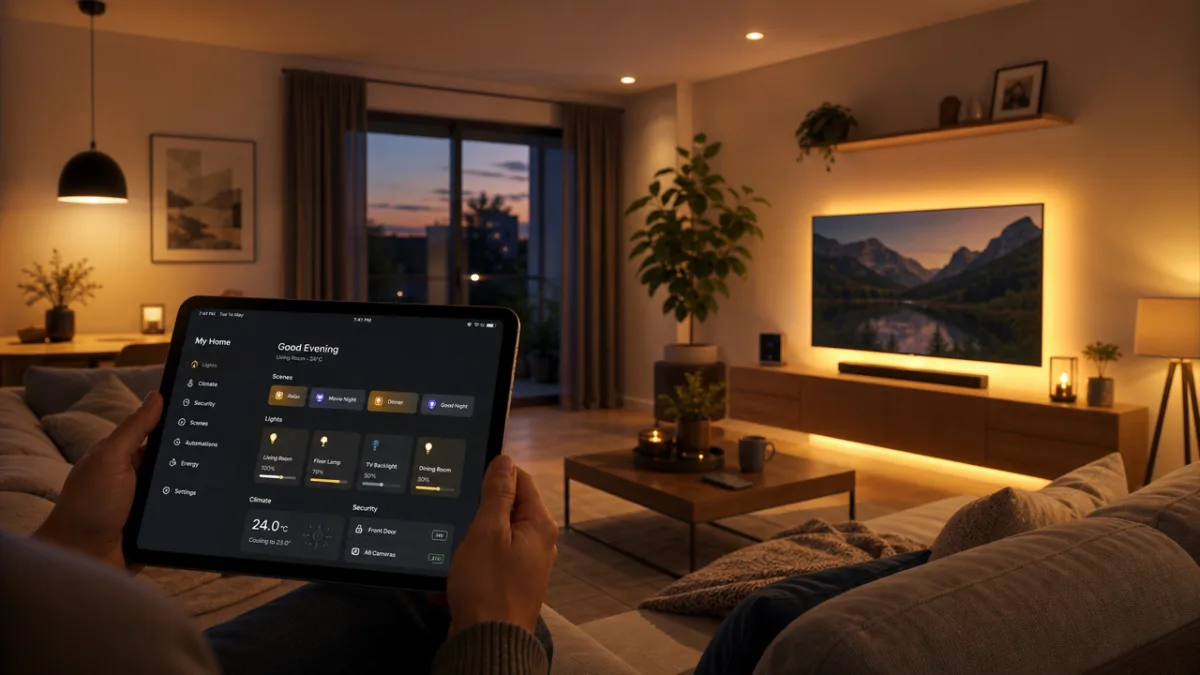
The true value of a smart home system emerges not from individual smart devices, but from the intelligent automations that connect them into coherent, responsive behaviors. A well-designed automation can make your home feel genuinely magical — anticipating your needs before you even consciously formulate them, responding to environmental conditions in real time, and eliminating the small but cumulative friction of dozens of daily manual tasks. Home Assistant’s automation engine is extraordinarily capable, supporting trigger-based, time-based, and state-based automations with conditional logic that allows for highly nuanced behavior.
When designing automations, it is helpful to think in terms of four key components: triggers, conditions, actions, and modes. A trigger is the event that initiates an automation — a motion sensor detecting movement, the sun setting, a door opening, or a specific time being reached. Conditions are optional checks that must pass before the automation proceeds — for example, only running a night-time lighting routine if someone is actually home. Actions are what the automation actually does — turning on lights, sending a notification, adjusting a thermostat, or playing a sound. Modes determine how the automation handles the situation where it is triggered again before completing its previous run.
Some of the most practical and immediately impactful automations for new smart home users include presence-based lighting and climate control, automatic security lighting triggered by outdoor motion sensors at night, morning routines that gradually wake the household with light and sound, and energy-saving automations that turn off devices left running when everyone leaves home. As you grow more comfortable with the platform, you can begin building more sophisticated automations that incorporate weather data, calendar events, voice assistant commands, and machine learning predictions based on your household’s observed patterns and routines.
Voice Control and Third-Party Integration
Voice control has become one of the most popular interfaces for smart home interaction, and Home Assistant integrates seamlessly with Amazon Alexa, Google Assistant, and Apple HomeKit. For users who are particularly concerned about privacy, there is also excellent support for fully local voice processing using open-source tools like Wyoming Protocol combined with Piper for text-to-speech and Whisper for speech recognition. This means you can give voice commands to your smart home without any audio ever leaving your local network — a significant advantage for privacy-conscious users who are uncomfortable with always-on cloud microphones.
Beyond voice assistants, Home Assistant’s integration with external services opens up a vast range of automation possibilities. You can connect your smart home to your calendar to automatically adjust your morning routine based on your schedule. Weather service integrations can trigger rain alerts, close smart blinds before a storm arrives, or pre-heat your home before a cold snap. Integrations with smart electricity meters and solar inverters allow you to monitor and optimize your household energy consumption in real time, automatically shifting high-consumption tasks like dishwasher cycles and electric vehicle charging to periods when electricity is cheapest or when your solar panels are generating excess power.
Network Architecture and Security Best Practices
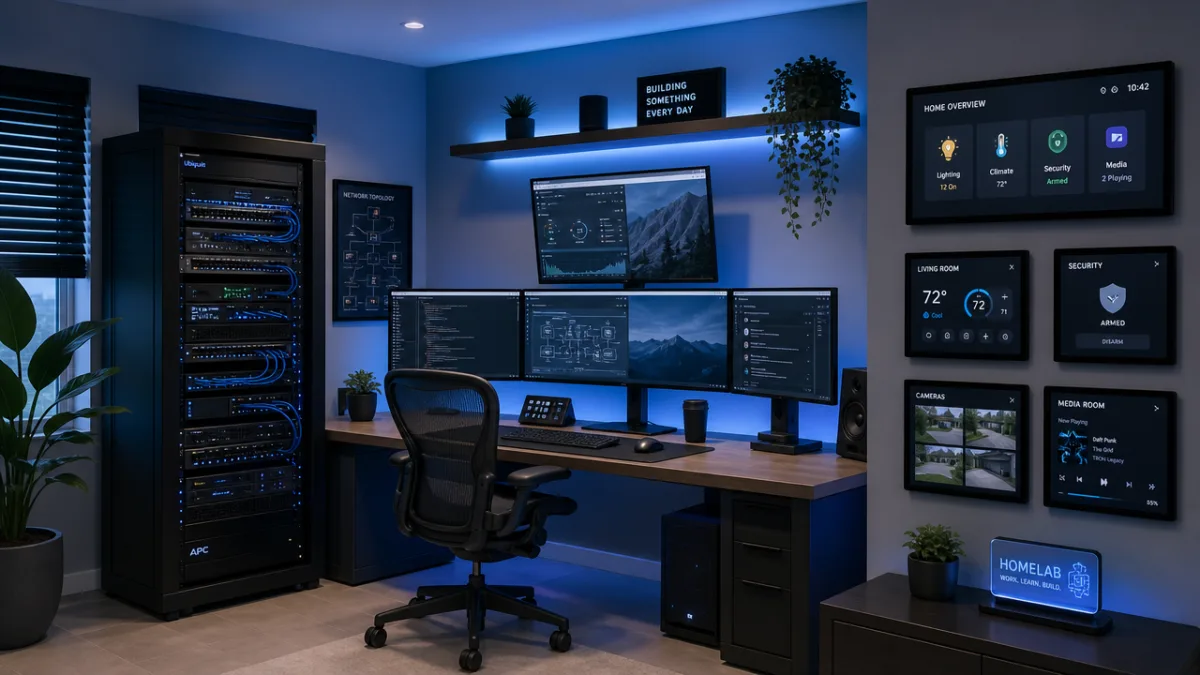
A smart home is only as reliable and secure as the network infrastructure it runs on, making proper network design one of the most important — and most frequently overlooked — aspects of any DIY smart home project. The foundation of a good smart home network is a capable router and, ideally, a managed or semi-managed switch that allows you to segment your network traffic. Many experienced smart home enthusiasts use VLAN (Virtual Local Area Network) segmentation to isolate their IoT devices on a separate network segment that cannot communicate directly with computers, smartphones, and other sensitive devices — reducing the attack surface in the event that a smart device is compromised.
Wi-Fi coverage is another critical consideration, particularly in larger homes or buildings with thick walls that attenuate wireless signals. A mesh Wi-Fi system using access points from brands like Ubiquiti UniFi, TP-Link Omada, or eero can provide consistent, high-quality coverage throughout your property while also offering more sophisticated network management features than consumer-grade routers. For a smart home with many Wi-Fi-connected devices, a router that supports Wi-Fi 6 (802.11ax) is highly recommended, as the improved efficiency of the newer standard significantly reduces congestion and latency when dozens of devices are active simultaneously.
Security should be treated as a first-class concern from the very beginning of your smart home project rather than an afterthought. Change default passwords on all devices immediately upon setup and use a password manager to generate and store strong, unique credentials for every device and service. Enable two-factor authentication wherever it is offered. Keep firmware on all devices updated promptly, as manufacturers regularly release patches for discovered vulnerabilities. Be thoughtful about which devices you allow outbound internet access — many smart devices phone home to manufacturer servers unnecessarily, and blocking this traffic using your router’s firewall rules can improve both security and reliability.
Keeping Your Smart Home Data Local
One of the most compelling arguments for building your smart home on open-source platforms is the ability to keep all of your data local, on hardware you control. Commercial smart home systems routinely store data about your habits, routines, and home environment on corporate servers — data that can be accessed by employees, shared with third parties, subpoenaed by law enforcement, or exposed in security breaches. A locally-operated Home Assistant instance stores all of its data on your own hardware, and with proper configuration, requires no outbound internet connectivity at all for core functionality to work perfectly.
For remote access to your smart home when you are away from home, options include Home Assistant’s own encrypted Nabu Casa cloud relay service (which generates revenue that funds platform development), or self-hosted solutions like Tailscale or WireGuard VPN that create secure encrypted tunnels to your home network. Many experienced users prefer the VPN approach as it gives them full control and requires no trust in any third-party service. Tailscale in particular is remarkably easy to set up compared to traditional VPN solutions and works reliably across virtually all network configurations, including those with carrier-grade NAT that would otherwise prevent direct connections.
Expanding Your Smart Home: Advanced Projects and Future Possibilities
Once you have established a solid foundation with reliable hardware, well-chosen software, and a growing library of useful automations, the possibilities for expanding and enhancing your smart home are virtually limitless. Energy management is one of the most impactful areas for expansion, particularly for households with solar panels, battery storage systems, or electric vehicles. Home Assistant integrates with a wide range of solar inverters, EV chargers, and smart electricity meters through platforms like SolarEdge, Enphase, Powerwall, and SMA, allowing you to build sophisticated energy arbitrage automations that can meaningfully reduce your electricity bills while also reducing your environmental footprint.
Home security is another area where DIY smart home enthusiasts can build genuinely impressive systems at a fraction of the cost of commercial monitoring services. Open-source projects like Frigate NVR (Network Video Recorder) run locally on your hardware and use machine learning object detection to identify people, vehicles, and animals in camera feeds in real time — triggering specific alerts only when genuinely relevant events are detected rather than flooding you with false alarms from insects or tree branches. Paired with a capable server running a GPU or the Google Coral Edge TPU accelerator, Frigate can process multiple camera streams simultaneously with minimal latency and zero cloud dependency.
Looking toward the future, the smart home space is evolving rapidly in several exciting directions. The Matter standard, developed collaboratively by Apple, Google, Amazon, and the Zigbee Alliance, promises to finally solve the fragmentation problem that has plagued the smart home industry by creating a universal interoperability layer that allows devices from different manufacturers to work together natively. Home Assistant already supports Matter and Thread, positioning users of the platform to take full advantage of the expanding ecosystem of Matter-compatible devices as they reach the market. Artificial intelligence and machine learning capabilities are also becoming increasingly integrated into smart home platforms, enabling predictive automations that learn from your behavior rather than requiring explicit programming.
Building a Smart Home Community and Sharing Knowledge
One of the most rewarding aspects of the DIY smart home hobby is the vibrant, generous community that surrounds it. Platforms like the Home Assistant Community forums, Reddit’s r/homeassistant and r/homelab subreddits, and countless YouTube channels dedicated to smart home projects represent an enormous collective knowledge base built up over years of shared experience. Whether you are troubleshooting a specific device compatibility issue, looking for inspiration for new automation ideas, or seeking advice on network architecture, the community invariably has people who have faced the same challenges and are willing to share what they have learned.
Contributing back to the community — by sharing your own configurations, writing up solutions to problems you have solved, or creating video walkthroughs of projects you have completed — is one of the most meaningful ways to engage with the smart home ecosystem. The open-source ethos that underlies the platforms discussed throughout this guide depends on exactly this kind of mutual generosity and knowledge sharing. Many of the integrations, custom components, and automation blueprints that make Home Assistant so powerful were created by community members who solved a problem for themselves and then shared their solution so that thousands of others could benefit without having to reinvent the wheel.
Building a smart home with open-source software is ultimately not just a technical project but a creative and intellectual one — a continuous process of learning, experimenting, refining, and discovering new ways to make the space you inhabit more responsive, efficient, and enjoyable. The investment of time and curiosity required is real, but so are the rewards: a home that works the way you want it to, a deep understanding of the technologies that surround us, and membership in a community of makers and enthusiasts who are collectively pushing the boundaries of what is possible with accessible, open technology. There has never been a better time to start building your own smart home, and with the resources available today, the learning curve has never been more manageable.








What do you think?
It is nice to know your opinion. Leave a comment.